
Trial
Try the cashier at your branch
FreeFirst 14 days
- 1 branch
- Up to 3 devices
- Up to 15 cashier staff
- Up to 300 products
- Offline selling, ZATCA invoices, the kitchen display, loyalty, promotions and data export
Makhtoom Cashier
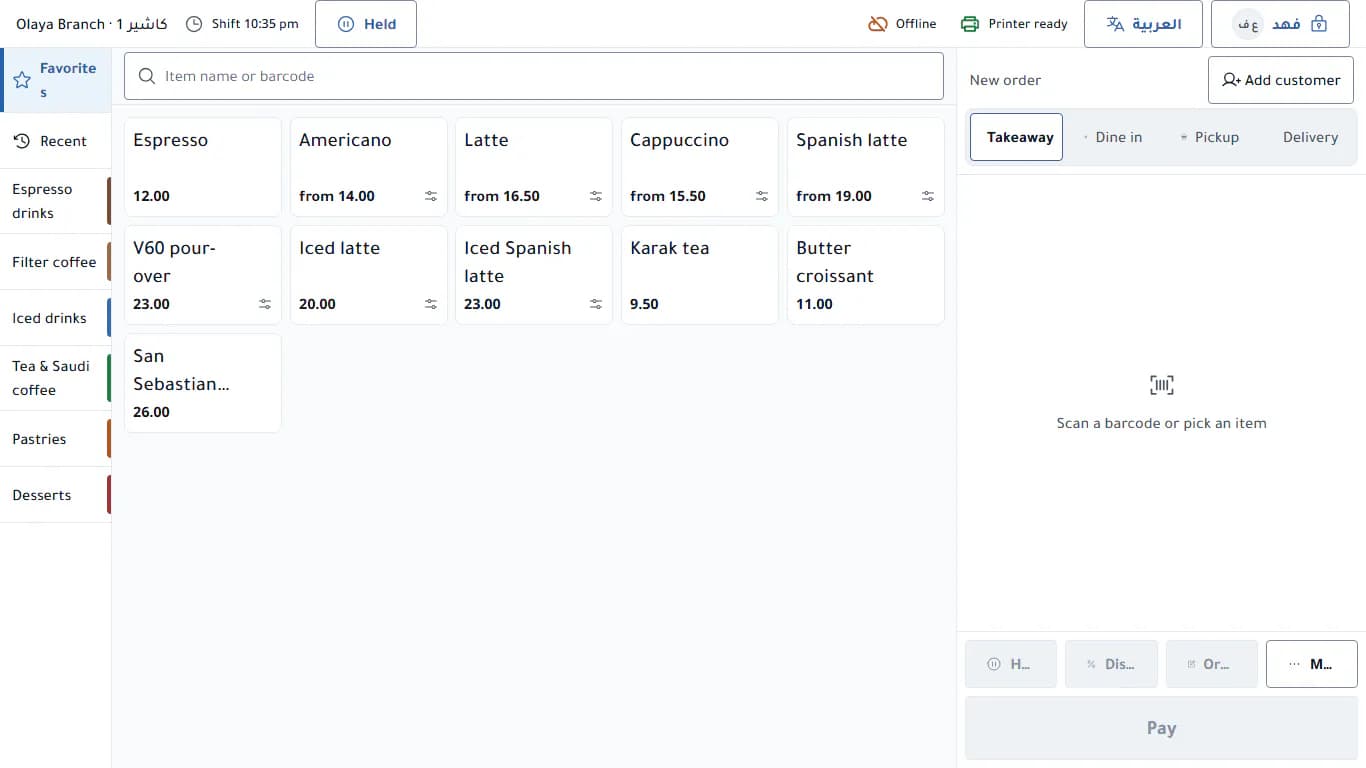
Tap the items, take cash or card, and the tax invoice with the ZATCA QR is ready. It keeps selling when the internet drops, and stamps your customer’s loyalty card on its own.
No credit card. Runs in the browser on your tablet or touch screen.
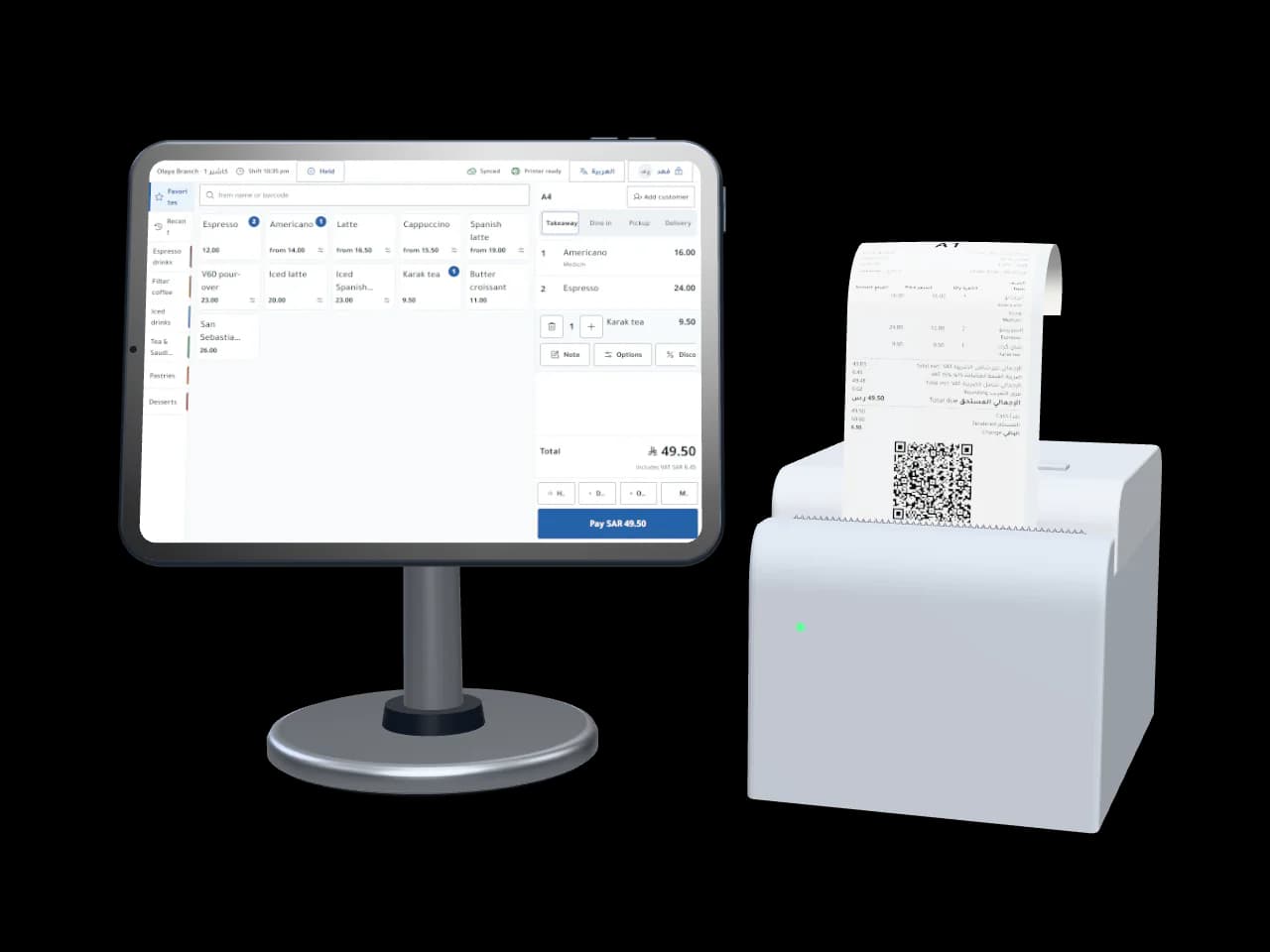
A three-item cash order completes in under 10 seconds in our automated tests on a touch screen, with buttons big enough for a hurried finger.
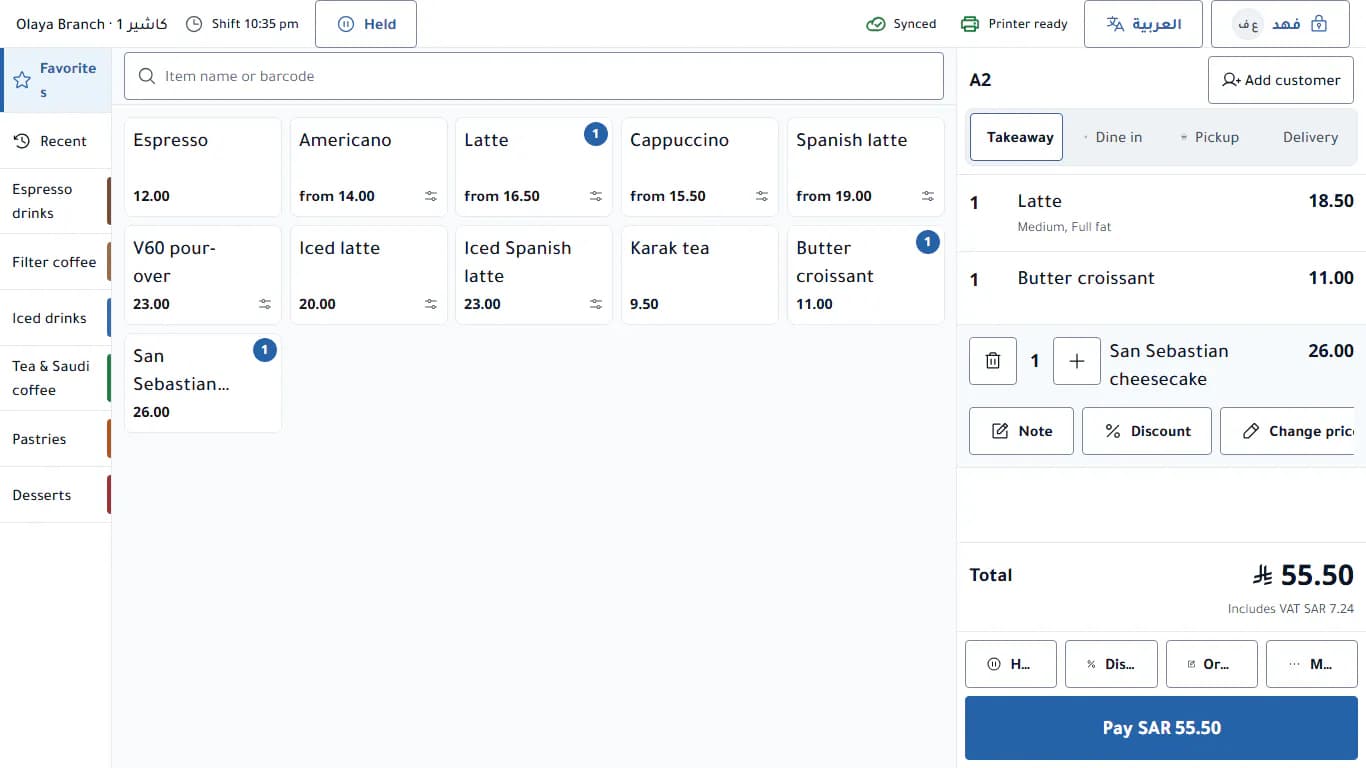
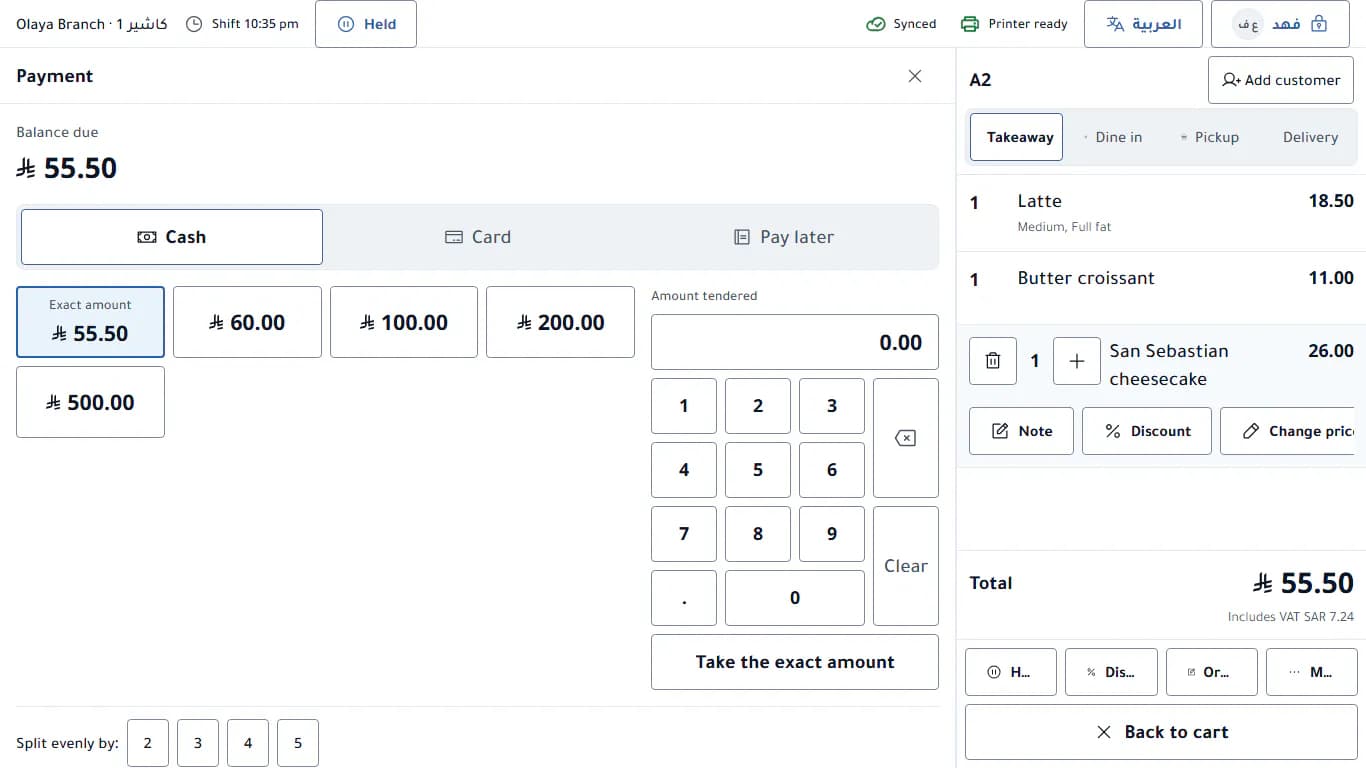
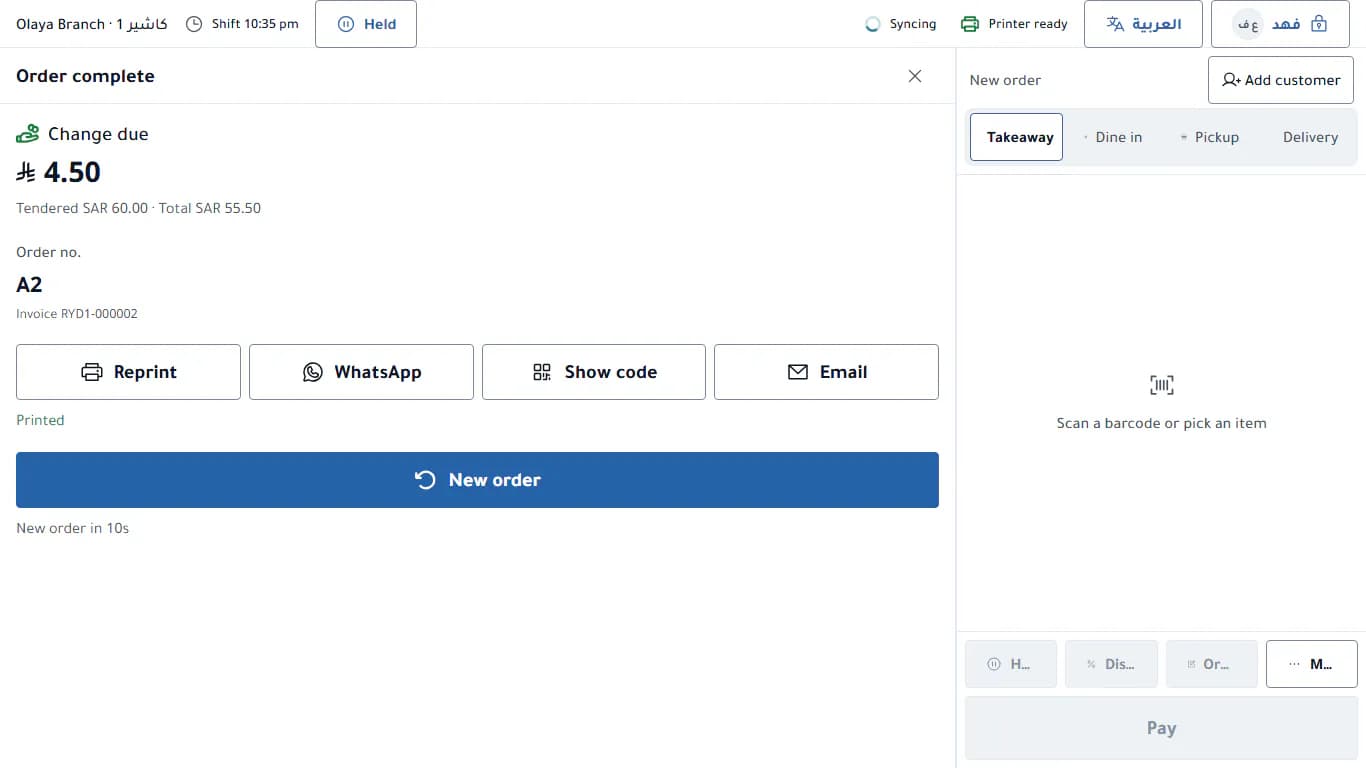
Real screenshots from the app, for a demo shop.
Every sale is saved on the device first, with its invoice and number, then sent to the server when the connection returns. Nothing on screen turns red because the network dropped.
The number, the sequence and the QR code are issued on the device itself, so the customer never waits for the network.
Every action carries a unique ID, so a resend never duplicates an invoice, and a calm counter shows how many are waiting.
An issued invoice is a document in the customer’s hand, so the server always keeps it, and any mismatch is shown to a manager to review.
A kitchen display on the same device keeps working offline; on a separate tablet it needs a connection.
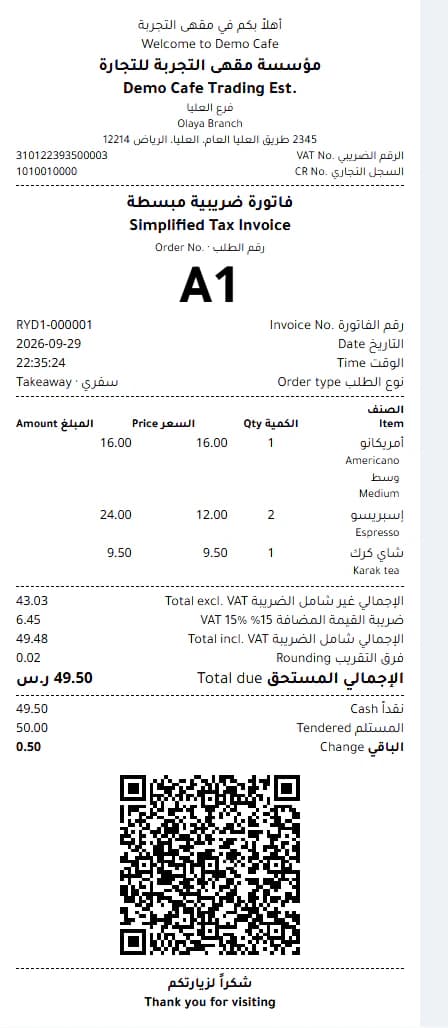
With the ZATCA phase 1 QR code: seller name, VAT number, invoice time, total and VAT.
The data model is ready for phase 2: a unique ID per invoice, and a counter and hash chain per device. Integration with the Fatoora platform is not active yet; we will announce it when it is complete.
Attach the customer by phone number at checkout, and the stamp lands on their card in Apple Wallet or Google Wallet on its own, with no scan and no extra step for the cashier.
An illustration of the stamp card, not a wallet screenshot.
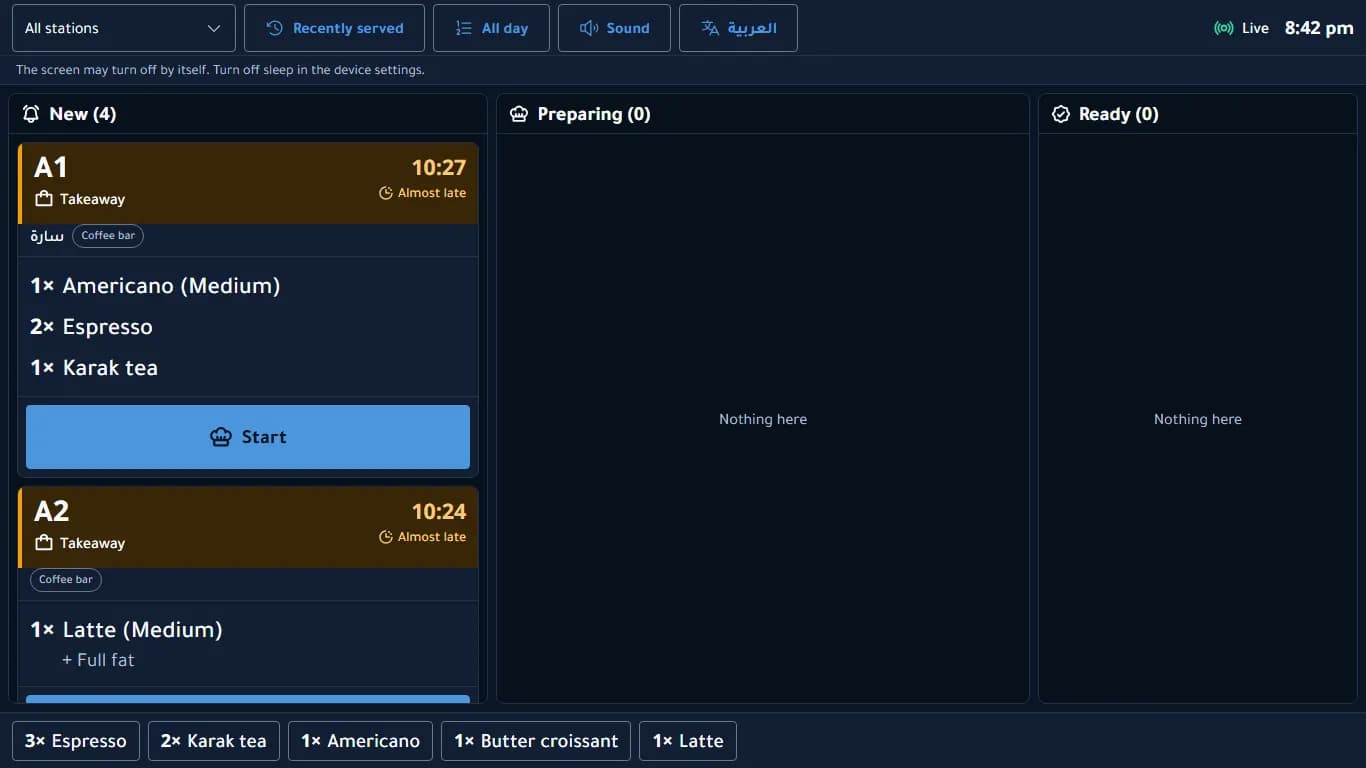
A kitchen display on any tablet: new, then preparing, then ready. A late ticket changes by icon, word and color at once, so it reads from across the room.
From your phone or laptop: today’s sales per branch, invoices, shifts, staff and devices.
Sales, items, VAT, loyalty and risk.
Open and close with a cash count, and X and Z reports that work even offline.
Every invoice and credit note in one place, searchable and filterable.
A PIN for each staff member, roles for managers and accountants, and manager approval for discounts and voids on the same device.
Pair a device with a one-time code, and revoke a lost one remotely.
One file with all your POS data, plus CSV sheets of invoices and orders. Your data is yours.
No special device and no hardware contract: a touch screen with a modern browser, your bank’s card terminal, and a thermal receipt printer.
Runs in the browser and installs like an app on the home screen. We recommend Chrome or Edge, since direct printing relies on them.
Makhtoom never processes payments. The card is paid on your shop’s own bank terminal, and the cashier records the payment and its approval code. We never see or store card numbers.
A clear Arabic receipt on 80 or 58 mm paper. Over a direct connection the receipt is drawn as an image, so Arabic prints correctly without relying on the printer’s fonts.
| Connection | Status |
|---|---|
| Printing through the browser | Verified |
| Barcode scanner in keyboard mode | Verified |
| Bluetooth printer | Supported protocol |
| USB printer | Supported protocol |
| Network printer (Epson ePOS-Print) | Supported protocol |
| Cash drawer connected to the printer | Supported protocol |
“Verified” means covered by our automated tests. “Supported protocol” means built on the printers’ published specifications but not yet certified on a specific model, so try your printer during the free period.
First 14 days free, no credit card. Prices in Saudi riyals per month, cancel anytime.
Try the cashier at your branch
FreeFirst 14 days
For a single branch
99Saudi riyalsper month
For several branches and a bigger team
199Saudi riyalsper month
More than 3 branches?
Talk to us and we will raise the branch and device limits for your shop.
Yes. Selling, invoices, printing and the shift report work on the device offline, and actions sync automatically when the internet returns.
No. The card is paid on your bank’s terminal as you do today, and the cashier records the payment and its approval code. We never see or store card numbers.
Every sale issues a simplified tax invoice with the phase 1 QR code. The data model is prepared for phase 2, but integration with the Fatoora platform is not active yet.
Any 80 or 58 mm thermal receipt printer that prints from the browser. Direct Bluetooth, USB and network connections are built on the published protocols, so try your printer during the free period.
No. A tablet or touch screen with Chrome or Edge is enough, paired with a one-time code from the back office.
On the cashier’s own device, yes. On a separate tablet it needs a connection, and the kitchen printer keeps printing tickets.
Yes. From the back office you export one file with all your POS data, plus CSV sheets of invoices and orders.
Yes, it is the same product. Attach the customer by phone number at checkout, and the stamp lands on their wallet card on its own.
Sign up, add your items, and pair your device with a one-time code. No credit card and nothing to install.